AMN Contractor Connect126.9.0
Publisher Description


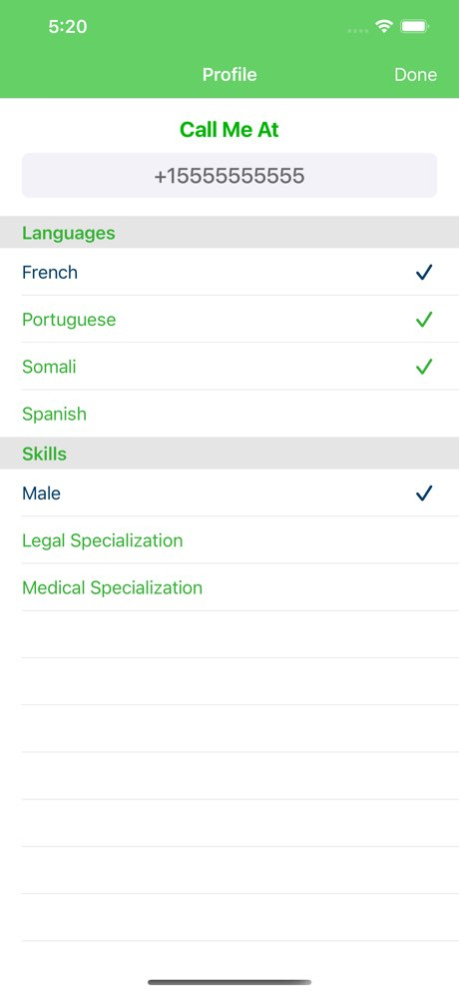
Work with AMN Language Services as a contract Audio Medical Interpreter.
AMN Language Services is committed to improving lives through better communication, and our success is fueled by our industry-leading language services. Our opportunity to strengthen the connection between technology and human interaction is what inspires us.
The Contractor Connect application allows you to control your availability for interpreting sessions, receive notifications from AMN, and track your session history.
Contractor Connect requires a registration and verification process in order to accept interpreting jobs. You can start the sign up process inside the app.
Version History - Improved guidance and error messaging when Face ID or Touch ID is disabled in device settings
- Enhanced user experience when biometric authentication is unavailable
- General stability improvements 126.9.0 Sep 29 Updated with modernized internal architecture for improved stability and maintainability. 126.4.0 Apr 28 Updated for the latest iOS requirements.
Minor UI and stability improvements. 126.3.0 Mar 31 Resolved biometric login issues so passwords are no longer auto‑filled when choosing “Use password instead,” and fixed audio‑only call restoration problems where resumed calls could show a black screen or infinite loading.
Removed the outdated “Remember Me” option from the login screen so the app now relies on native biometric authentication instead. 126.1.0 Feb 3 Fixed a bug in CCA which could cause the user to have to login again after updating to v125.9.0. 125.10.0 11/05/2025 Apple guidelines now require new permissions UI and regular notification checks. Users receive permission prompts as per standards, with notification permission checked every 24 hours. 125.9.0 10/01/2025 Enhancements
- Provided clear messaging when there are problems connecting to a media server. Previously, the app would hang without any message indicating what the problem is. 124.8.0 09/05/2024 Corrected a misspelling on the permissions notification pop up. 124.4.0 04/30/2024 • Enhancements
- Updated the privacy policy link in the app store.
• Issues Addressed
- None 124.3.0 04/02/2024 Enhancements
- Enabled Contractors to add an operator into an active call.
Issues Addressed
- Corrected an issue causing the incident report form to not open in a new window. 115.10.0 12/27/2023 Enhancements
- Upgraded application monitoring 115.6.0 08/01/2023 Added Agent ID to status area 115.5.0 06/27/2023 Security Updates 115.4.0 05/24/2023 Enhancements
· Enhanced security.
Issues Addressed
· Corrected issue on iOS 15 and 16 that removed the title bar color. 114.14.0 12/13/2022 Miscellaneous improvements. 114.6.0 03/29/2022 Enhancements
· Added Support screen to contact customer support
Issues Addressed
· Users were sometime incorrectly presented with a “too many attempts” error when resetting their password. 114.2.0 09/28/2021 Enhancements
· Removed the “Return to log-in" link from the password reset page
Issues Addressed
· None 114.1.0 08/31/2021 113.25.0 06/29/2021
About AMN Contractor Connect
The company that develops AMN Contractor Connect is Stratus Video, LLC. The latest version released by its developer is 126.9.0.
To install AMN Contractor Connect on your iOS device, just click the green Continue To App button above to start the installation process. The app is listed on our website since 2026-10-13 and was downloaded 10 times. We have already checked if the download link is safe, however for your own protection we recommend that you scan the downloaded app with your antivirus. Your antivirus may detect the AMN Contractor Connect as malware if the download link is broken.
How to install AMN Contractor Connect on your iOS device:
- Click on the Continue To App button on our website. This will redirect you to the App Store.
- Once the AMN Contractor Connect is shown in the iTunes listing of your iOS device, you can start its download and installation. Tap on the GET button to the right of the app to start downloading it.
- If you are not logged-in the iOS appstore app, you'll be prompted for your your Apple ID and/or password.
- After AMN Contractor Connect is downloaded, you'll see an INSTALL button to the right. Tap on it to start the actual installation of the iOS app.
- Once installation is finished you can tap on the OPEN button to start it. Its icon will also be added to your device home screen.
Program Details
System requirements
Download information
Pricing
Version History
version 126.9.0
posted on 2026-10-13
Version History - Improved guidance and error messaging when Face ID or Touch ID is disabled in device settings
- Enhanced user experience when biometric authentication is unavailable
- General stability improvements 126.9.0 Sep 29 Updated with modernized internal architecture for improved stability and maintainability. 126.4.0 Apr 28 Updated for the latest iOS requirements.
Minor UI and stability improvements. 126.3.0 Mar 31 Resolved biometric login issues so passwords are no longer auto‑filled when choosing “Use password instead,” and fixed audio‑only call restoration problems where resumed calls could show a black screen or infinite loading.
Removed the outdated “Remember Me” option from the login screen so the app now relies on native biometric authentication instead. 126.1.0 Feb 3 Fixed a bug in CCA which could cause the user to have to login again after updating to v125.9.0. 125.10.0 11/05/2025 Apple guidelines now require new permissions UI and regular notification checks. Users receive permission prompts as per standards, with notification permission checked every 24 hours. 125.9.0 10/01/2025 Enhancements
- Provided clear messaging when there are problems connecting to a media server. Previously, the app would hang without any message indicating what the problem is. 124.8.0 09/05/2024 Corrected a misspelling on the permissions notification pop up. 124.4.0 04/30/2024 • Enhancements
- Updated the privacy policy link in the app store.
• Issues Addressed
- None 124.3.0 04/02/2024 Enhancements
- Enabled Contractors to add an operator into an active call.
Issues Addressed
- Corrected an issue causing the incident report form to not open in a new window. 115.10.0 12/27/2023 Enhancements
- Upgraded application monitoring 115.6.0 08/01/2023 Added Agent ID to status area 115.5.0 06/27/2023 Security Updates 115.4.0 05/24/2023 Enhancements
· Enhanced security.
Issues Addressed
· Corrected issue on iOS 15 and 16 that removed the title bar color. 114.14.0 12/13/2022 Miscellaneous improvements. 114.6.0 03/29/2022 Enhancements
· Added Support screen to contact customer support
Issues Addressed
· Users were sometime incorrectly presented with a “too many attempts” error when resetting their password. 114.2.0 09/28/2021 Enhancements
· Removed the “Return to log-in" link from the password reset page
Issues Addressed
· None 114.1.0 08/31/2021 113.25.0 06/29/2021
version 126.9.0
posted on 2026-10-06
Version History - Improved guidance and error messaging when Face ID or Touch ID is disabled in device settings
- Enhanced user experience when biometric authentication is unavailable
- General stability improvements 126.9.0 6d ago Updated with modernized internal architecture for improved stability and maintainability. 126.4.0 Apr 28 Updated for the latest iOS requirements.
Minor UI and stability improvements. 126.3.0 Mar 31 Resolved biometric login issues so passwords are no longer auto‑filled when choosing “Use password instead,” and fixed audio‑only call restoration problems where resumed calls could show a black screen or infinite loading.
Removed the outdated “Remember Me” option from the login screen so the app now relies on native biometric authentication instead. 126.1.0 Feb 3 Fixed a bug in CCA which could cause the user to have to login again after updating to v125.9.0. 125.10.0 11/05/2025 Apple guidelines now require new permissions UI and regular notification checks. Users receive permission prompts as per standards, with notification permission checked every 24 hours. 125.9.0 10/01/2025 Enhancements
- Provided clear messaging when there are problems connecting to a media server. Previously, the app would hang without any message indicating what the problem is. 124.8.0 09/05/2024 Corrected a misspelling on the permissions notification pop up. 124.4.0 04/30/2024 • Enhancements
- Updated the privacy policy link in the app store.
• Issues Addressed
- None 124.3.0 04/02/2024 Enhancements
- Enabled Contractors to add an operator into an active call.
Issues Addressed
- Corrected an issue causing the incident report form to not open in a new window. 115.10.0 12/27/2023 Enhancements
- Upgraded application monitoring 115.6.0 08/01/2023 Added Agent ID to status area 115.5.0 06/27/2023 Security Updates 115.4.0 05/24/2023 Enhancements
· Enhanced security.
Issues Addressed
· Corrected issue on iOS 15 and 16 that removed the title bar color. 114.14.0 12/13/2022 Miscellaneous improvements. 114.6.0 03/29/2022 Enhancements
· Added Support screen to contact customer support
Issues Addressed
· Users were sometime incorrectly presented with a “too many attempts” error when resetting their password. 114.2.0 09/28/2021 Enhancements
· Removed the “Return to log-in" link from the password reset page
Issues Addressed
· None 114.1.0 08/31/2021 113.25.0 06/29/2021
version 126.9.0
posted on 2026-10-02
Version History - Improved guidance and error messaging when Face ID or Touch ID is disabled in device settings
- Enhanced user experience when biometric authentication is unavailable
- General stability improvements 126.9.0 2d ago Updated with modernized internal architecture for improved stability and maintainability. 126.4.0 Apr 28 Updated for the latest iOS requirements.
Minor UI and stability improvements. 126.3.0 Mar 31 Resolved biometric login issues so passwords are no longer auto‑filled when choosing “Use password instead,” and fixed audio‑only call restoration problems where resumed calls could show a black screen or infinite loading.
Removed the outdated “Remember Me” option from the login screen so the app now relies on native biometric authentication instead. 126.1.0 Feb 3 Fixed a bug in CCA which could cause the user to have to login again after updating to v125.9.0. 125.10.0 11/05/2025 Apple guidelines now require new permissions UI and regular notification checks. Users receive permission prompts as per standards, with notification permission checked every 24 hours. 125.9.0 10/01/2025 Enhancements
- Provided clear messaging when there are problems connecting to a media server. Previously, the app would hang without any message indicating what the problem is. 124.8.0 09/05/2024 Corrected a misspelling on the permissions notification pop up. 124.4.0 04/30/2024 • Enhancements
- Updated the privacy policy link in the app store.
• Issues Addressed
- None 124.3.0 04/02/2024 Enhancements
- Enabled Contractors to add an operator into an active call.
Issues Addressed
- Corrected an issue causing the incident report form to not open in a new window. 115.10.0 12/27/2023 Enhancements
- Upgraded application monitoring 115.6.0 08/01/2023 Added Agent ID to status area 115.5.0 06/27/2023 Security Updates 115.4.0 05/24/2023 Enhancements
· Enhanced security.
Issues Addressed
· Corrected issue on iOS 15 and 16 that removed the title bar color. 114.14.0 12/13/2022 Miscellaneous improvements. 114.6.0 03/29/2022 Enhancements
· Added Support screen to contact customer support
Issues Addressed
· Users were sometime incorrectly presented with a “too many attempts” error when resetting their password. 114.2.0 09/28/2021 Enhancements
· Removed the “Return to log-in" link from the password reset page
Issues Addressed
· None 114.1.0 08/31/2021 113.25.0 06/29/2021
version 126.4.0
posted on 2026-09-25
Version History Updated with modernized internal architecture for improved stability and maintainability. 126.4.0 Apr 28 Updated for the latest iOS requirements.
Minor UI and stability improvements. 126.3.0 Mar 31 Resolved biometric login issues so passwords are no longer auto‑filled when choosing “Use password instead,” and fixed audio‑only call restoration problems where resumed calls could show a black screen or infinite loading.
Removed the outdated “Remember Me” option from the login screen so the app now relies on native biometric authentication instead. 126.1.0 Feb 3 Fixed a bug in CCA which could cause the user to have to login again after updating to v125.9.0. 125.10.0 11/05/2025 Apple guidelines now require new permissions UI and regular notification checks. Users receive permission prompts as per standards, with notification permission checked every 24 hours. 125.9.0 10/01/2025 Enhancements
- Provided clear messaging when there are problems connecting to a media server. Previously, the app would hang without any message indicating what the problem is. 124.8.0 09/05/2024 Corrected a misspelling on the permissions notification pop up. 124.4.0 04/30/2024 • Enhancements
- Updated the privacy policy link in the app store.
• Issues Addressed
- None 124.3.0 04/02/2024 Enhancements
- Enabled Contractors to add an operator into an active call.
Issues Addressed
- Corrected an issue causing the incident report form to not open in a new window. 115.10.0 12/27/2023 Enhancements
- Upgraded application monitoring 115.6.0 08/01/2023 Added Agent ID to status area 115.5.0 06/27/2023 Security Updates 115.4.0 05/24/2023 Enhancements
· Enhanced security.
Issues Addressed
· Corrected issue on iOS 15 and 16 that removed the title bar color. 114.14.0 12/13/2022 Miscellaneous improvements. 114.6.0 03/29/2022 Enhancements
· Added Support screen to contact customer support
Issues Addressed
· Users were sometime incorrectly presented with a “too many attempts” error when resetting their password. 114.2.0 09/28/2021 Enhancements
· Removed the “Return to log-in" link from the password reset page
Issues Addressed
· None 114.1.0 08/31/2021 113.25.0 06/29/2021
version 126.1.0
posted on 2026-02-03
Resolved biometric login issues so passwords are no longer auto‑filled when choosing “Use password instead,” and fixed audio‑only call restoration problems where resumed calls could show a black screen or infinite loading.
Removed the outdated “Remember Me” option from the login screen so the app now relies on native biometric authentication instead.
version 124.8.0
posted on 2024-09-05
Sep 5, 2024
Version 124.8.0
Enhancements
- Provided clear messaging when there are problems connecting to a media server. Previously, the app would hang without any message indicating what the problem is.
version 124.4.0
posted on 2024-04-30
Apr 30, 2024
Version 124.4.0
Corrected a misspelling on the permissions notification pop up.
version 124.3.0
posted on 2024-04-02
Apr 2, 2024
Version 124.3.0
• Enhancements
- Updated the privacy policy link in the app store.
• Issues Addressed
- None
version 115.10.0
posted on 2023-12-27
Dec 27, 2023
Version 115.10.0
Enhancements
- Enabled Contractors to add an operator into an active call.
Issues Addressed
- Corrected an issue causing the incident report form to not open in a new window.
version 115.6.0
posted on 2023-08-01
Aug 1, 2023
Version 115.6.0
Enhancements
- Upgraded application monitoring
